

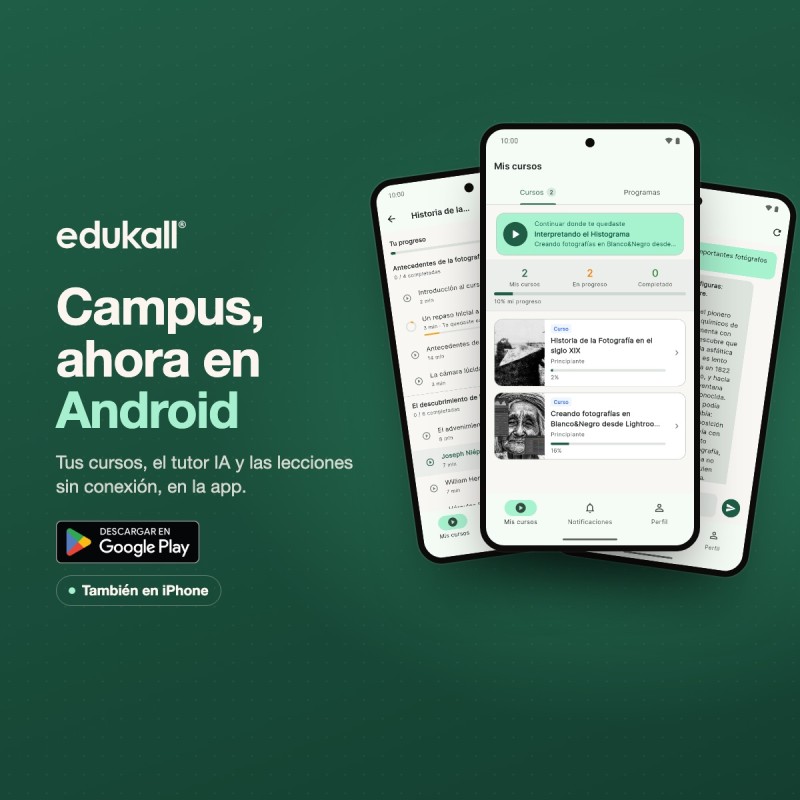
Starting today, Edukall Campus is also on Google Play. It's the Edukall classroom app — serving students at institutions, businesses and government organisations — and it arrives on Android with all the same features we launched on iPhone: sign in with your existing username and password, pick up your courses and programmes right where you left off, and use Explore to enrol in or purchase new courses without ever leaving the app.
Why an app?
If you study in short bursts — on the commute, while waiting for an appointment, or for half an hour before bed — the app means you never have to log into a browser, hunt for your course and find your place again. Just open, tap and carry on.
Pick up exactly where you left off
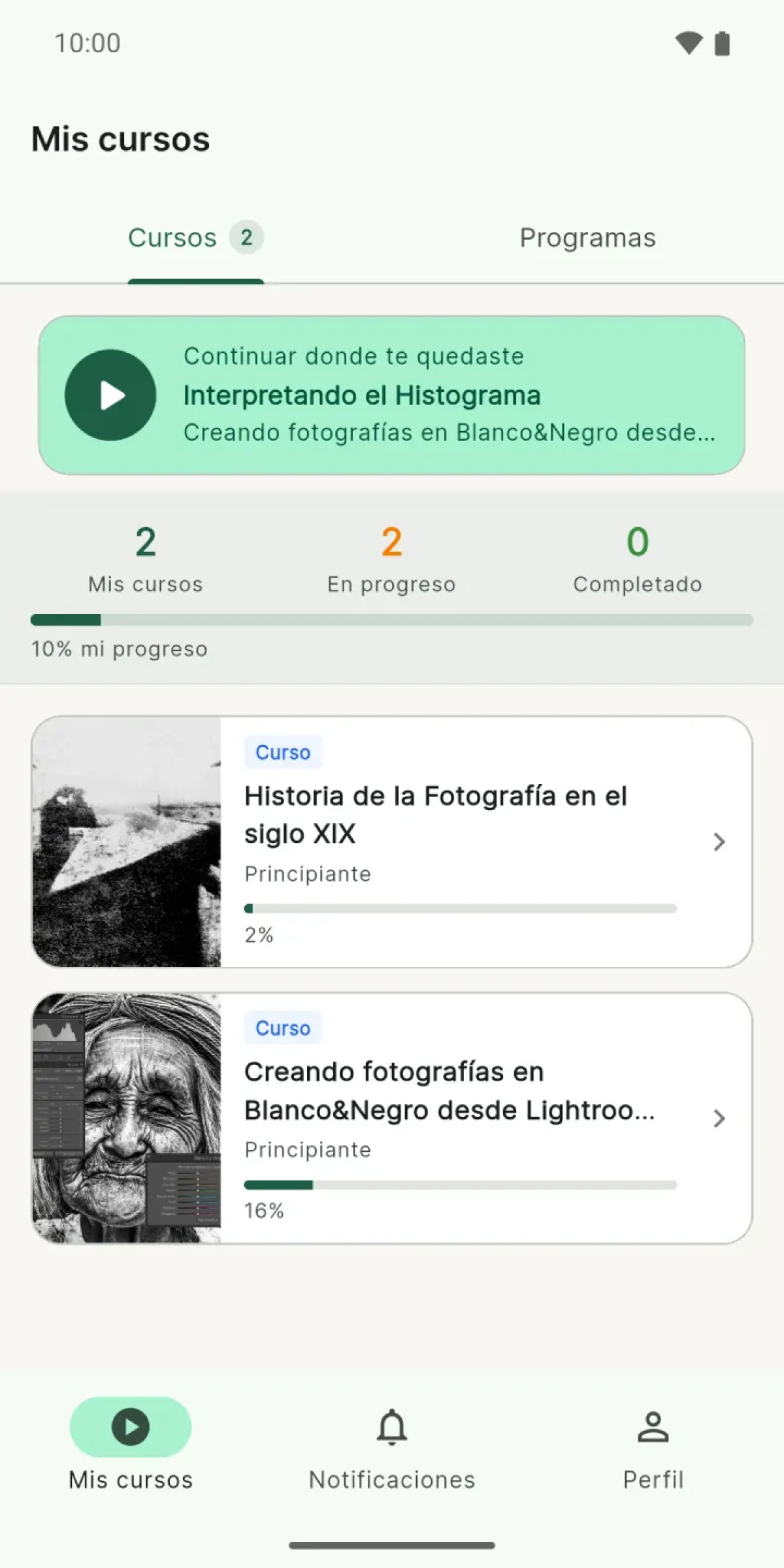
The first thing you see in My Courses is the last lesson you were watching, with a button to continue. Below that, you can see how many courses are in progress and how many you've completed, along with the percentage progress for each one.
Your progress stays in sync across the web, iPhone and Android — so if you started on your computer, your phone will show exactly how far you've got.
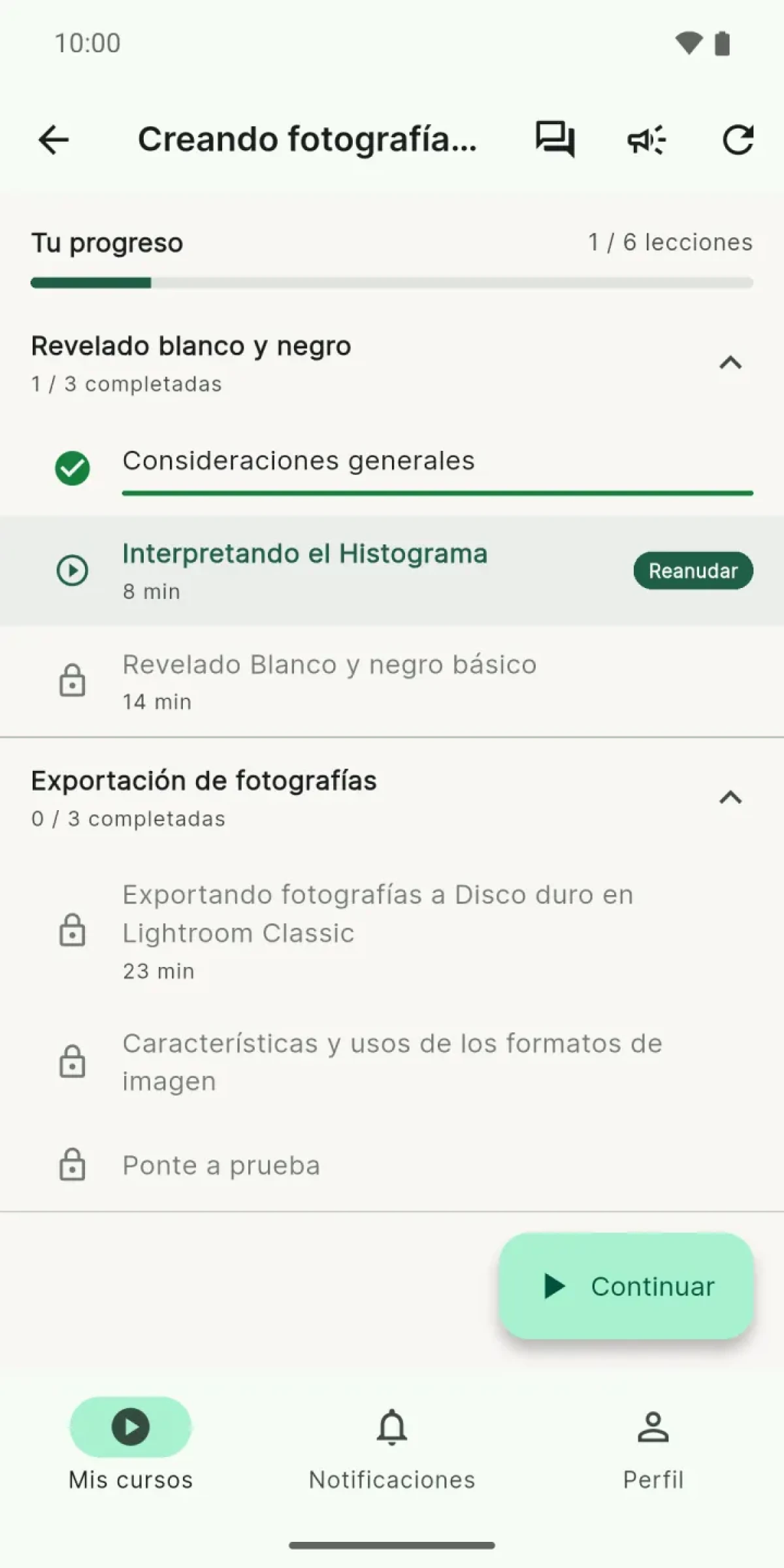
The course outline tells you which minute you were on
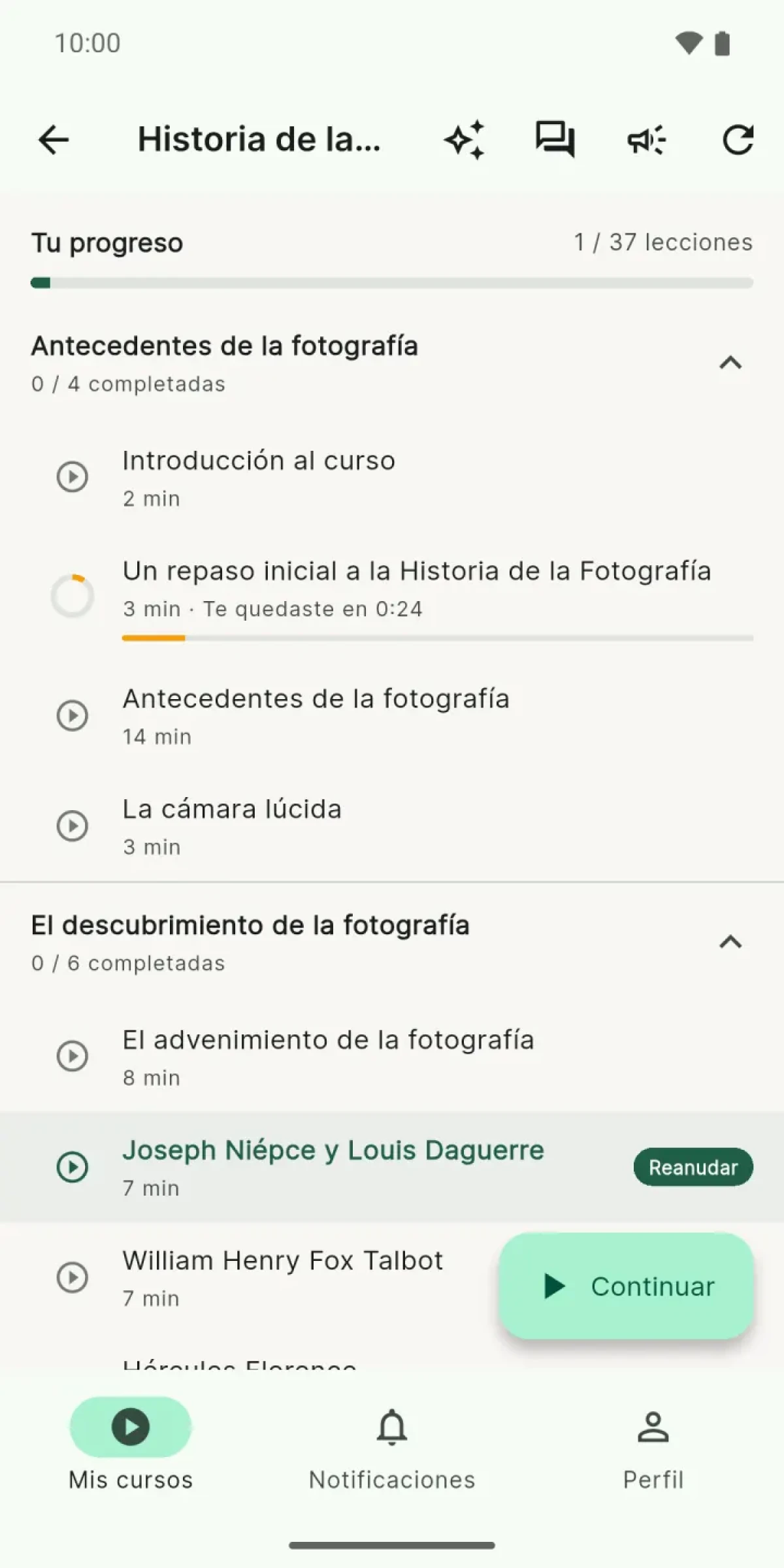
Inside a course you can see all its sections, how long each lesson is and how many you've completed. If you left a video partway through, the lesson shows the exact minute you stopped, and the Continue button takes you straight back there.
From the top of the screen you can also reach the AI tutor, the Q&A forum and course announcements.
Video, readings, SCORM and quizzes
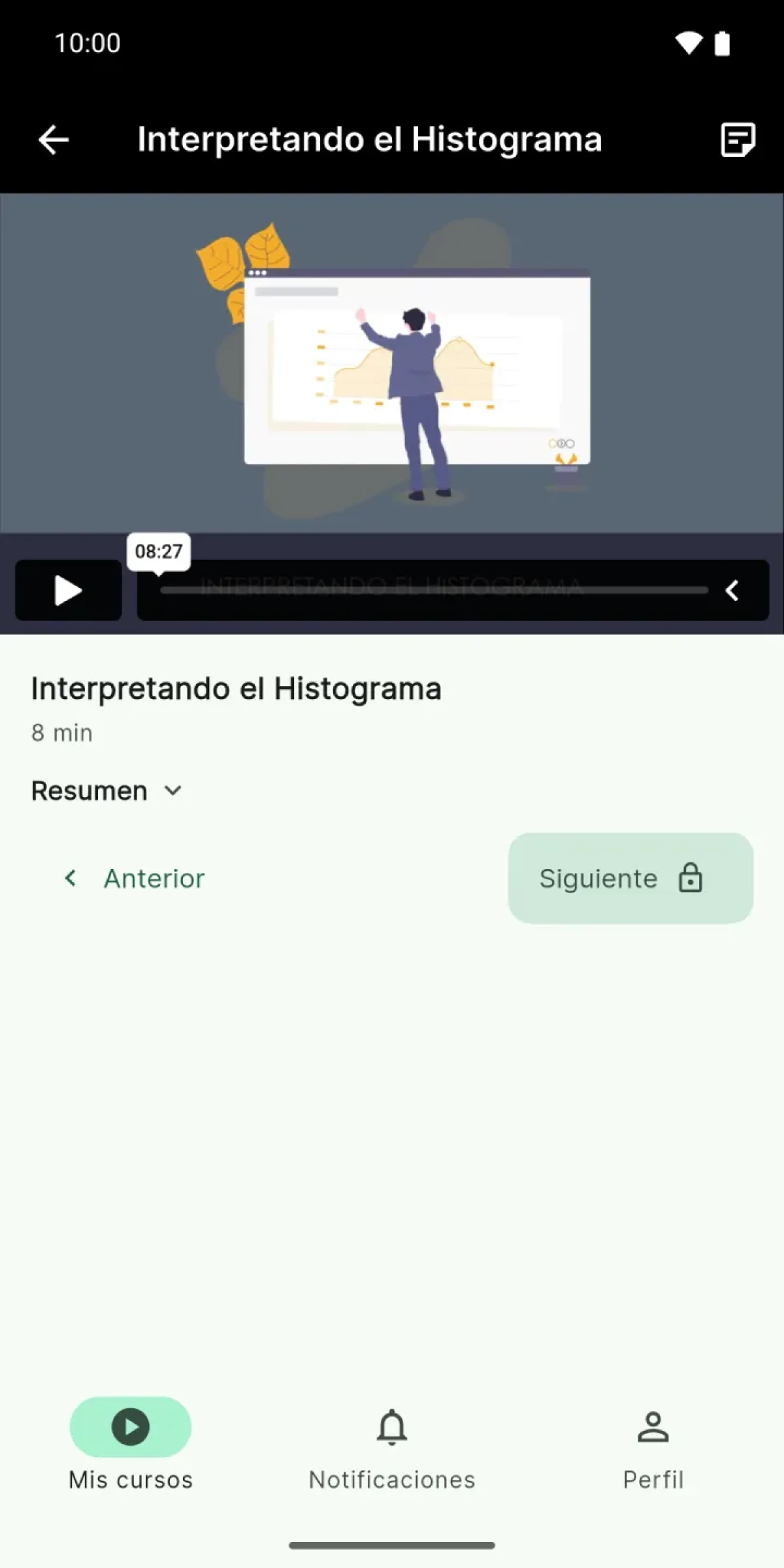
Every lesson opens inside the app, whatever type it is. You can take notes that are pinned to the exact moment in the video when you wrote them, so you can jump straight back to that point when you review.
Use Previous and Next to move through the course without returning to the outline. If your course requires you to complete lessons in order, the next one is locked until you finish the one you're on.
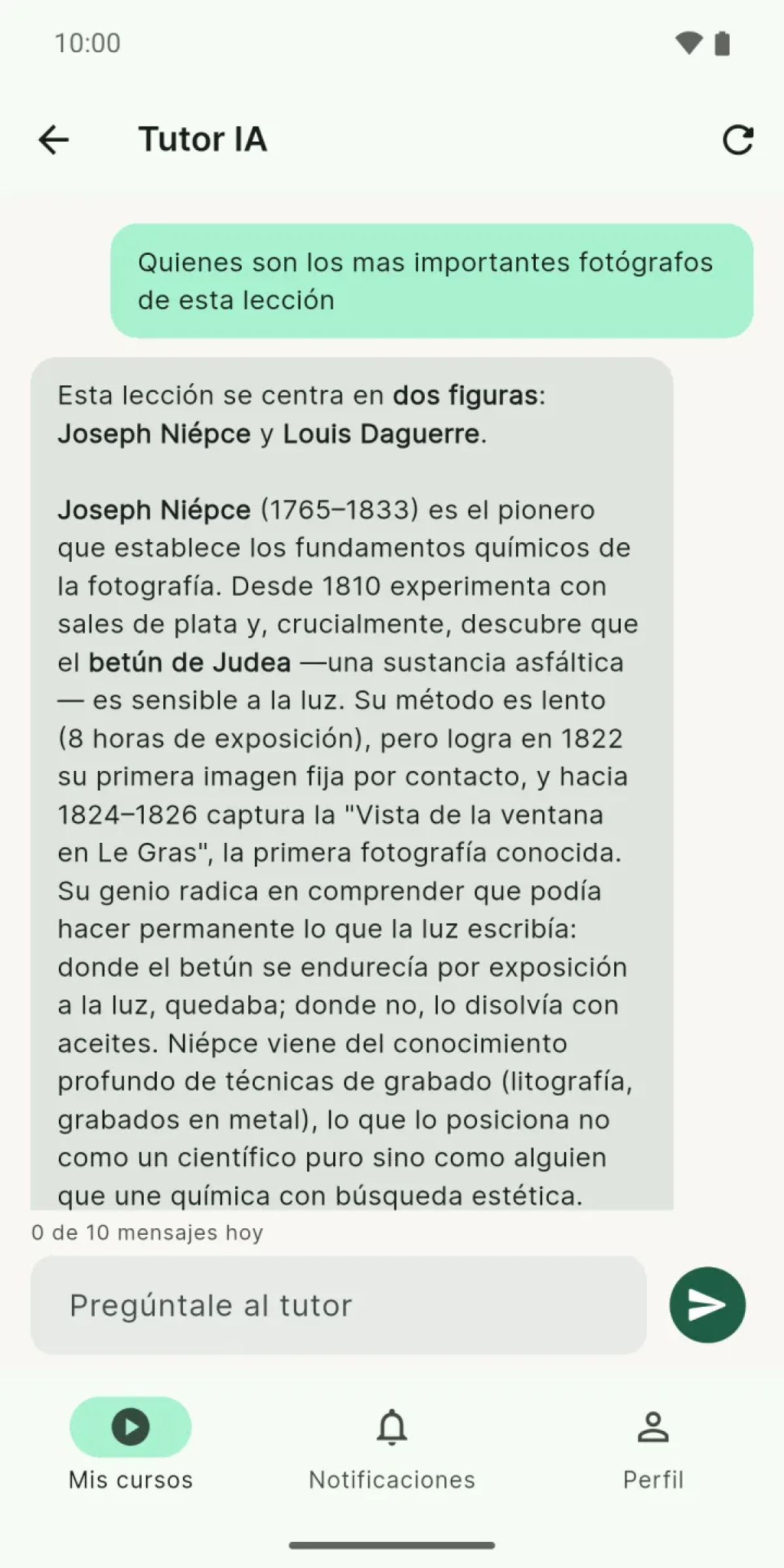
An AI tutor that knows your course
When something isn't clear, just ask the AI tutor. It draws on what your course actually teaches, so its answers are grounded in your lessons — not just whatever comes up in a general internet search.
It also offers an explain it in your own words exercise: you tell it what you understood and it points out anything you've missed or should revisit.
Find your next course
The Explore tab brings together the online courses from every school that teaches on Edukall. You can search by name and filter by school or category. Each course shows what it covers, what you'll learn, the prerequisites, the full outline and who's offering it.
Free courses can be joined with Enrol for free. Paid courses are purchased through Google Play using the payment method linked to your Google account, and as soon as payment is confirmed the course appears in My Courses, ready to start. It's also added to your web account, so you can continue from your computer whenever you like.
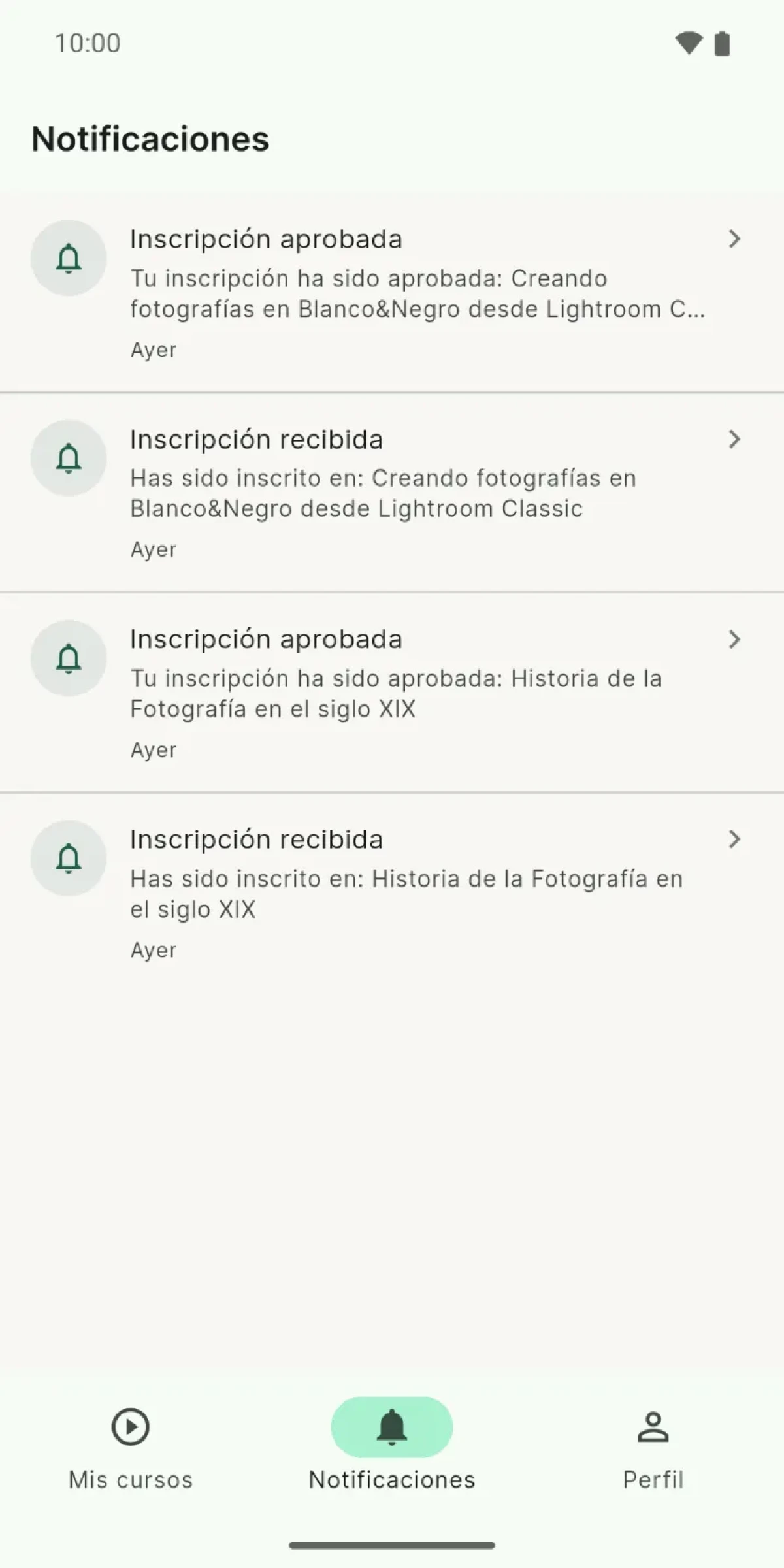
Your alerts, on your phone
Push notifications keep you up to date with what's happening in your courses: when your enrolment is received or approved, and any new updates from your courses. Everything is saved in the Notifications tab so you can check back whenever you want.
Study offline
Lessons can be downloaded to your phone so you can watch them on a plane, on the underground or anywhere with a poor signal. By default, downloads wait for a Wi-Fi connection so they don't eat into your mobile data — you can change this under Profile → Downloads, where you can also see how much storage they're using and delete anything you no longer need. Any progress you make offline is synced to the platform as soon as your phone is back online.
The app also brings together everything else in your account: any mandatory training assigned by your employer or institution, your academic record and your certificates — all ready to share.
Getting started
- Download Edukall Campus from Google Play on your Android phone or tablet.
- Sign in with the same email address and password you use on the web, or log in with your Google, Facebook or Apple account.
- Continue your courses where you left off, or find something new in Explore.
Got an iPhone?
Edukall Campus has been on the App Store for a little while now, with all the same features. If you use both platforms — say, an Android device for work and an iPhone personally — just sign in with the same account on both and your progress follows you from one to the other.

Published in News
Subscribe to our newsletters
The latest news, articles and resources sent to your inbox weekly.



Comments
Be the first to comment
Leave a comment