

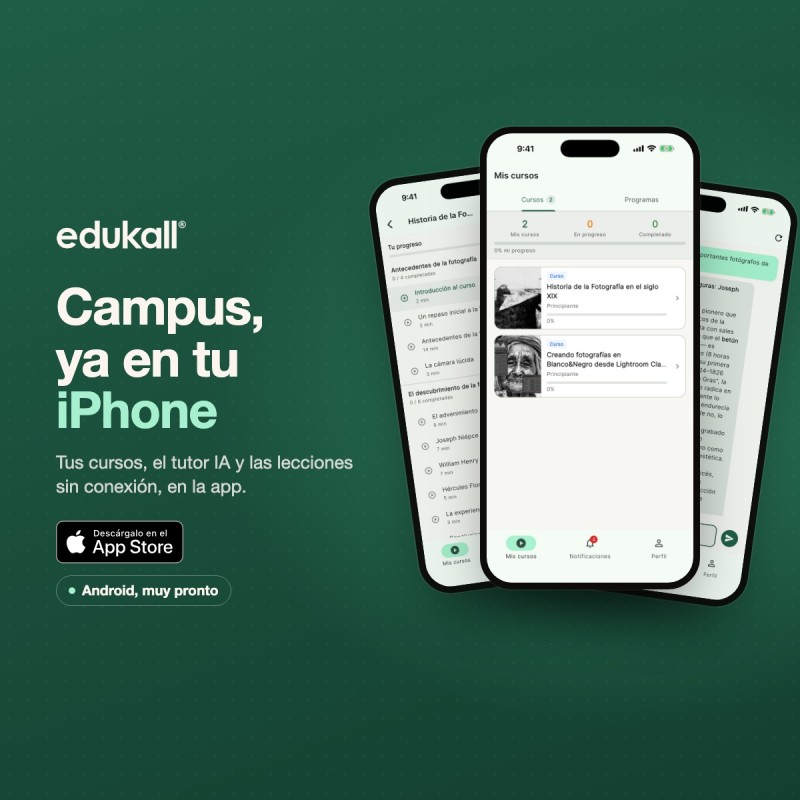
Starting today, Edukall Campus is available on the App Store. It's the Instituto IMAGO classroom app, powered by Edukall technology: sign in with the same username and password you already use on Instituto IMAGO and find all your courses and programmes right there, with your progress exactly where you left off on your computer. The Android version is on its way and will be coming to Google Play soon.

Why an app
For in-person courses, having online content available in the app is a great way to reinforce what students have covered with their instructor in the classroom. For online courses, it's simply much more convenient to have the app at your fingertips at all times. Many of our students learn in short bursts — on the commute to work, waiting for an appointment, or half an hour before bed. The phone's browser worked well enough, but it meant logging in again, hunting for the course and finding the lesson where you'd left off. The app removes all of that. Open it, tap your course and carry on.
Everything you're enrolled in, on one screen
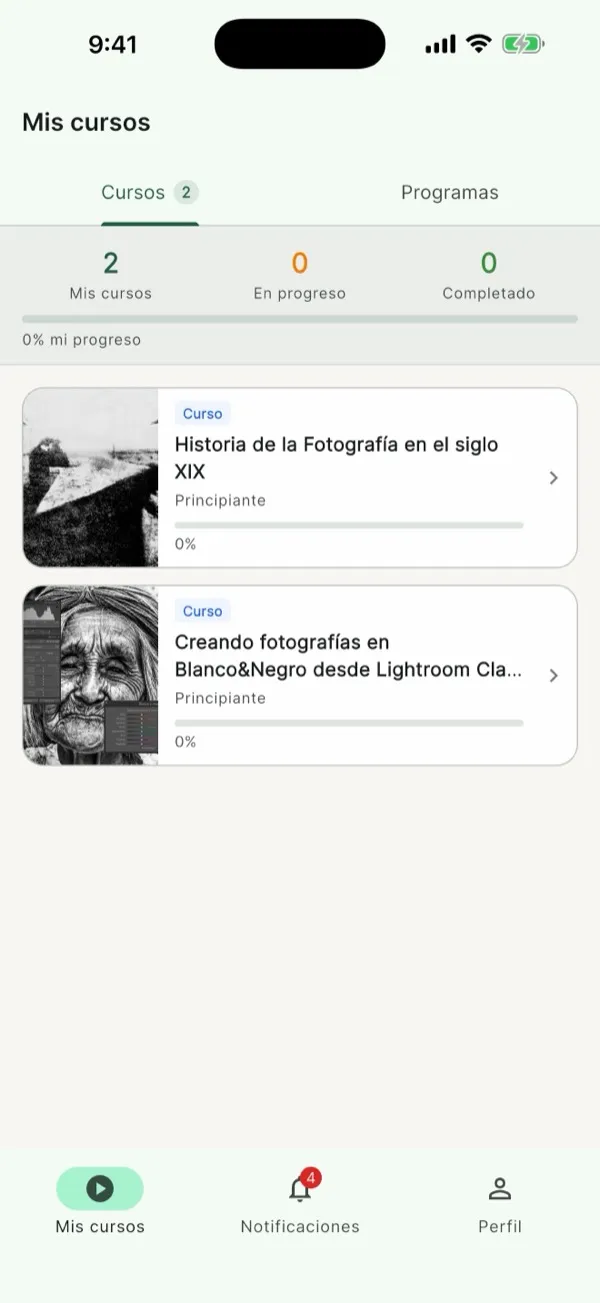
Your courses appear in My Courses, with your programmes on their own tab. At a glance you can see how many are in progress and how many you've completed, and each card shows your percentage progress.
Your progress stays in sync between the web and the app. If you started a lesson on your computer, you'll find it marked when you open the app on your phone.
The full course outline and a button to keep going
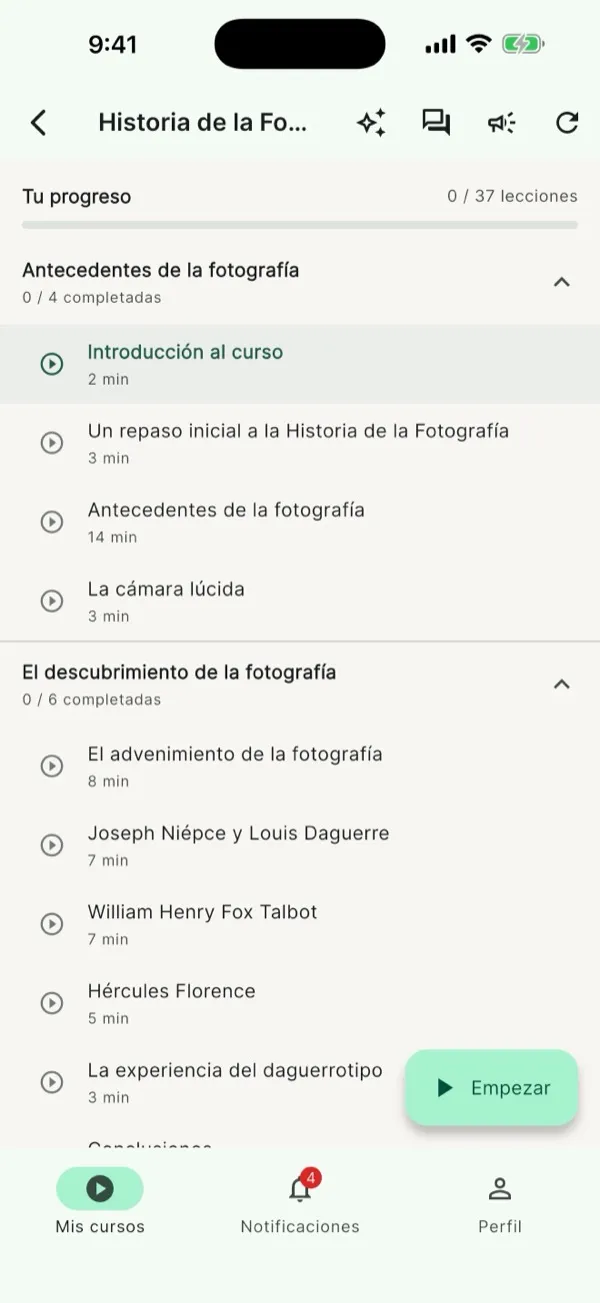
When you open a course you can see all its sections, how many lessons you've completed in each one and how long each lesson takes. The Start button (or Continue, once you've made progress) takes you straight to the next lesson up.
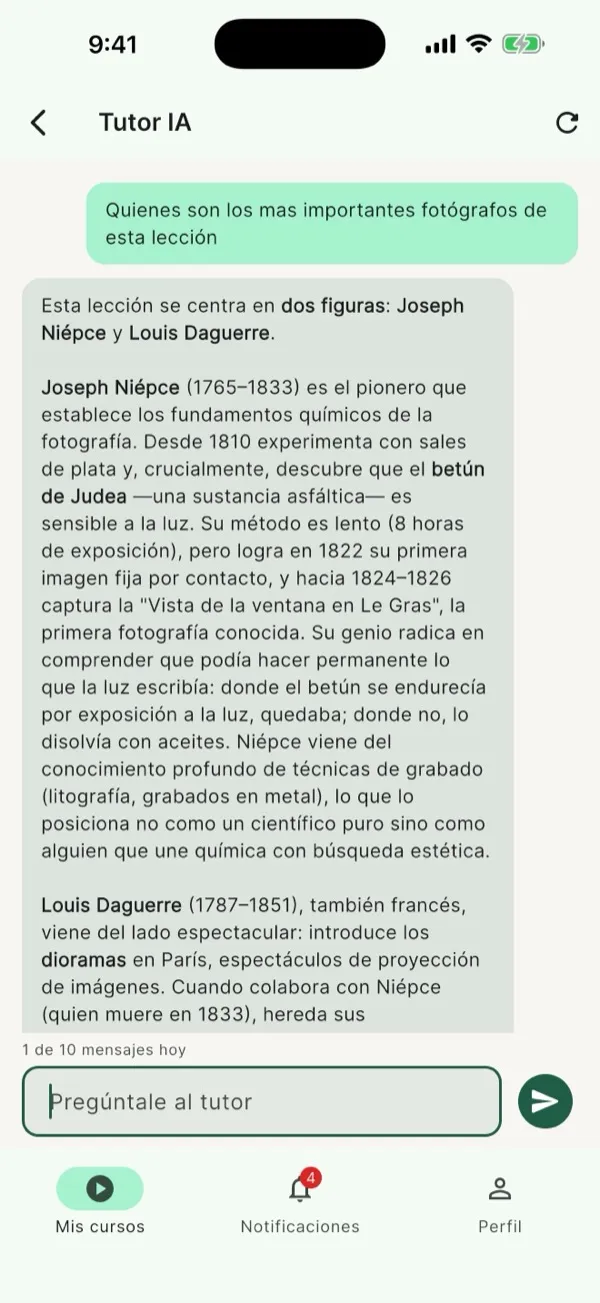
From the top of the screen you can also reach the AI tutor, the Q&A forum and course announcements.
Video, readings, SCORM and quizzes
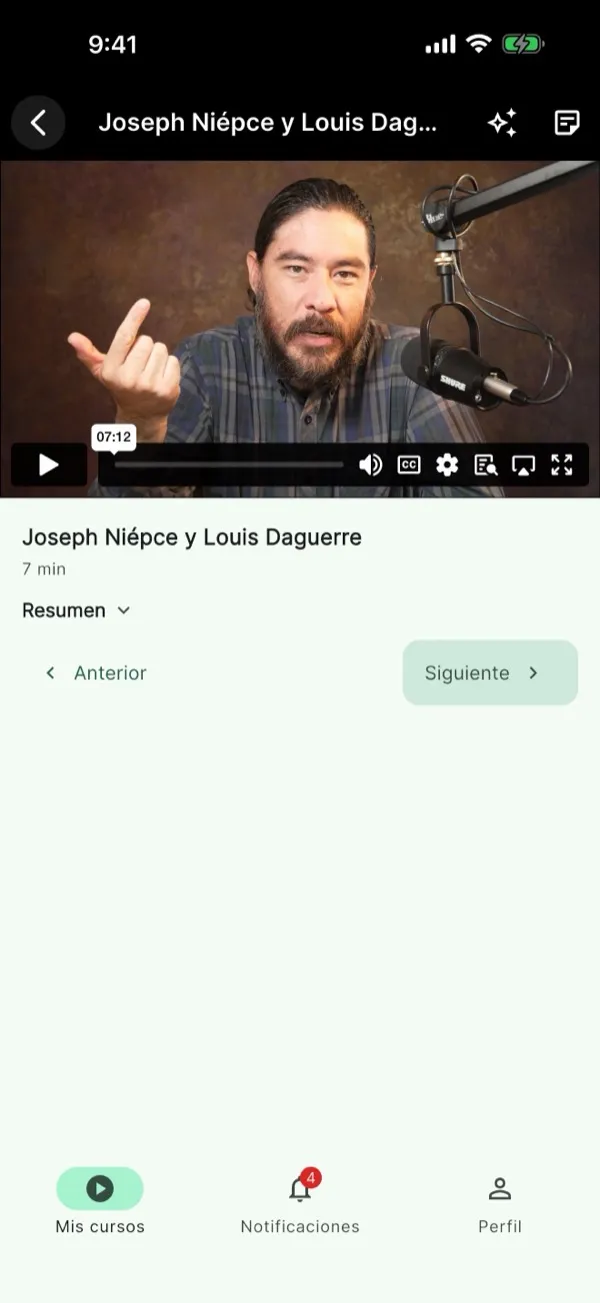
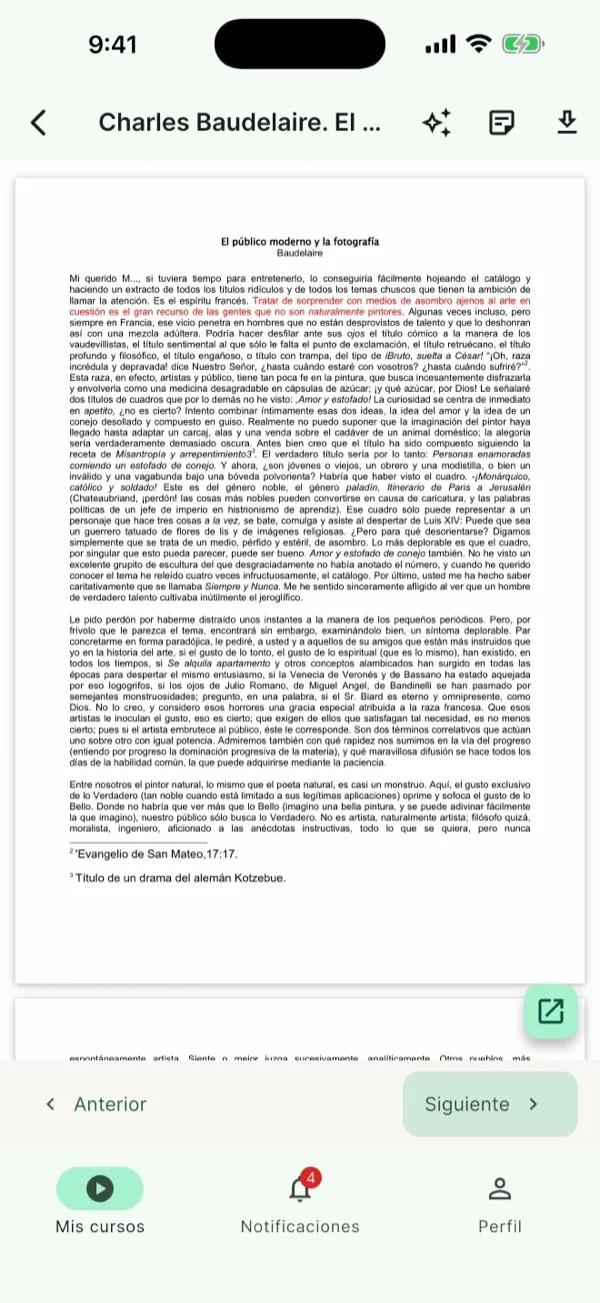
All lesson types open directly inside the app. Videos play in full screen, and you can take notes that are linked to the exact moment you wrote them — so you can jump back to that precise point whenever you review.
Use Previous and Next to move through the course without returning to the outline.
An AI tutor that knows your course
When something isn't clear, you can ask the AI tutor. It draws on the content of your specific course, so its answers relate directly to your lessons rather than whatever comes up first in a general search.
It also offers an explain it in your own words exercise: you tell it what you understood and it points out what's missing or worth revisiting.
Study offline
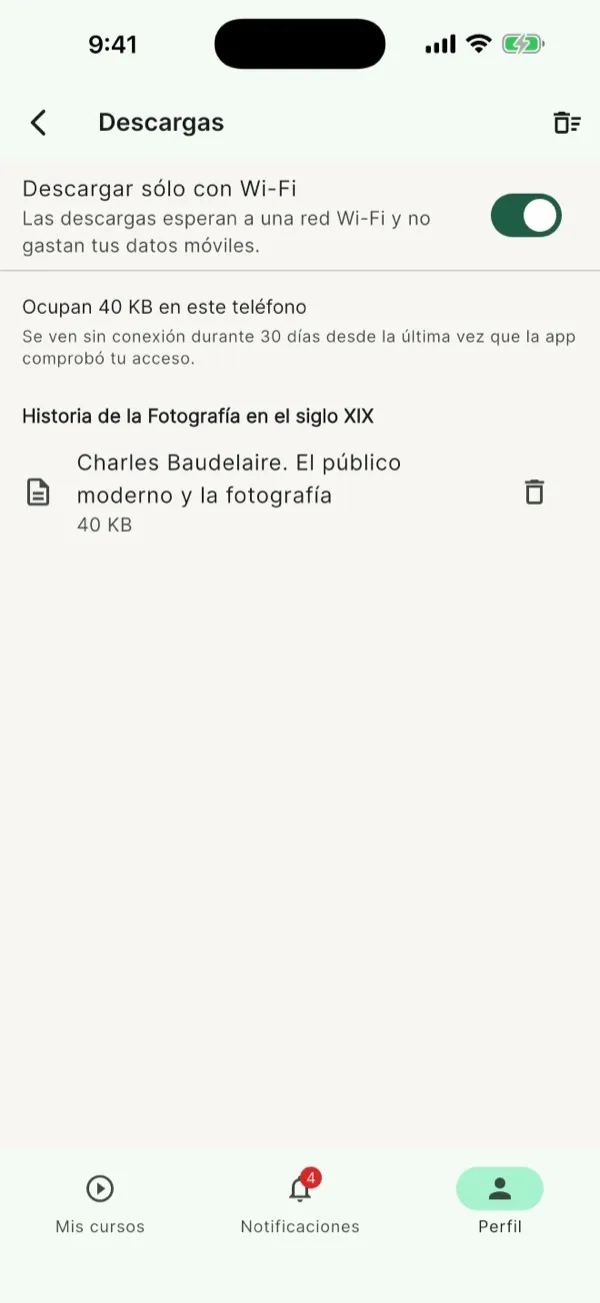
Lessons can be downloaded to your phone so you can watch them on a plane, on the underground or anywhere with a poor signal. By default, downloads wait for a Wi-Fi connection so they don't use up your mobile data — you can change this under Profile → Downloads, where you can also check how much storage they're using and delete anything you no longer need.
Any progress you make offline is synced to the platform as soon as your phone is back online.
Everything else in your classroom
The app brings together everything else in your account: announcements and live sessions for your courses, any mandatory training assigned to you by your company or school, your academic record and your certificates — ready to share whenever you need them. Notifications keep you up to date with what's new in your courses.
Getting started
- Download Edukall Campus from the App Store on your iPhone.
- Sign in with the same email and password you use on the website.
- Choose your course and pick up where you left off.
If you don't have an account yet, you can create one on the website, or your school can set one up for you.
What about Android?
The Android version is in development and will be arriving on Google Play soon, with all the same features as the iPhone app. We'll announce it here and on our social channels when it goes live, and the link will appear in the footer of this page alongside the App Store link. In the meantime, Android users can continue studying on the website as usual.
Published in News
Subscribe to our newsletters
The latest news, articles and resources sent to your inbox weekly.



Comments
Be the first to comment
Leave a comment