
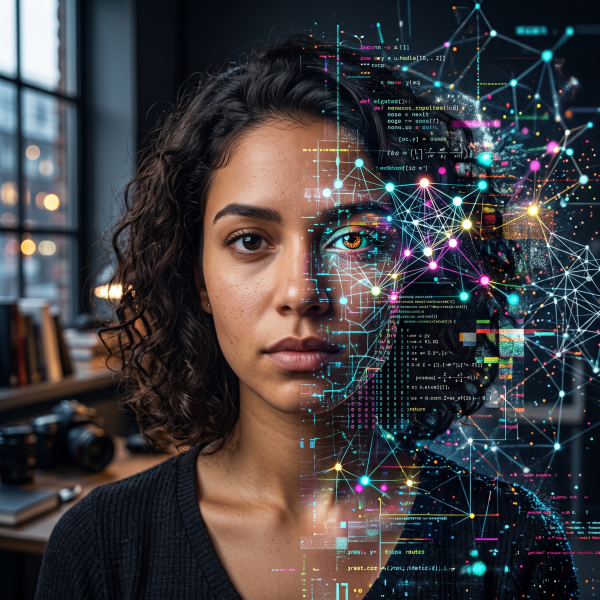
AI for Photography Workshop: Start from Scratch
Master AI and transform your photography into extraordinary art
Master AI techniques to transform your photographs. Learn from the ground up how to enhance, edit and create professional images using artificial intelligence tools.
What will i learn
At the end of this program, you will be able to:
- Distinguish the main generative AI models applied to imagery (latent diffusion, GANs, multimodal transformers) and identify which tool is best suited to each specific photographic task.
- Build structured prompts with style, lighting, composition and technical reference descriptors to generate visual sketches before an actual photo shoot.
- Apply the AI classification, semantic tagging and automatic selection features in Adobe Lightroom AI and Google Photos to organise a photographic archive of over one hundred images.
- Carry out generative editing operations — removing elements, generative fill, frame extension and background replacement — using Adobe Firefly and Photoshop Generative Fill on your own photographs.
- Design advanced prompts using prompt chaining, negative prompting and image reference techniques to achieve predictable, consistent results in Midjourney v6.
- Critically evaluate the ethical boundaries, copyright implications and competitive-use restrictions of images generated or modified with AI, making reasoned decisions when faced with real-world cases.
- Produce a complete photography project that integrates at least three different generative AI tools, documenting the technical and ethical decisions made at each stage.
Description
This in-person workshop introduces amateur and professional photographers to the practical use of generative artificial intelligence as an extension of their photographic workflow. Participants learn to sketch visual ideas, classify and edit images, build advanced prompts, and apply tools such as Adobe Firefly and Midjourney with both technical and ethical judgement. The professional relevance is immediate: generative AI is redefining the standards for producing, editing and distributing photography across editorial, advertising and artistic industries.
Structure and duration
Duration: 6 weeks
One 4-hour class per week
Costs of this program
- Admission fee
- $198.16 USD
$219.02 USD - Monthly tuition
- Not applicable for this program
- Re-enrollment fee
- Not applicable for this program
Topics in this program
6 topicsTopic 1. The generative AI ecosystem for photography: what it is, how it works and what it can do for you
- What generative AI is: the difference between discriminative and generative AI as applied to imagery.
- Latent diffusion models: how Stable Diffusion turns noise into an image, step by step.
- GANs (Generative Adversarial Networks): generator vs. discriminator, use cases in photography.
- Multimodal transformers: CLIP, DALL·E and the connection between text and image.
- Tool map: Adobe Firefly, Midjourney, Stable Diffusion, Google Photos AI, Luminar Neo AI.
- Criteria for choosing the right tool for the task: non-destructive editing, free generation, organisation.
- First steps in Adobe Firefly and Midjourney: creating an account, navigating the interface, free-plan limitations.
Topic 2. Smart photo library organisation with AI
- The photo archive problem: volume, culling time and the risk of losing valuable images.
- Adobe Lightroom AI: automatic star and colour ratings, facial recognition, natural-language semantic search.
- The 'Select Subject' and 'AI Masking' features in Lightroom Classic: how the segmentation model identifies subject, sky and background, and applies zone-specific adjustments.
- Adobe Sensei: the AI engine running across Creative Cloud products and how it fits into the Lightroom workflow.
- Google Photos: automatic grouping by people, places and objects; Memories albums; advanced semantic search.
- Comparing classification engines: Lightroom AI vs. Luminar Neo AI Catalog vs. Google Photos.
- Common limitations and errors: false positives in recognition, cloud data privacy, connectivity dependency.
Topic 3. Generative editing: remove, add, expand and transform with Adobe Firefly and Photoshop
- Principles of non-destructive generative editing: generative layers, state history and reversibility.
- Photoshop Generative Fill: lasso selection, prompt-based fill and variant selection.
- Removing distracting elements: the AI-enhanced removal tool vs. Generative Fill, and when to use each.
- Frame extension (Generative Expand): expanding a photograph in any direction while maintaining consistent light and perspective.
- Background replacement and transformation with Firefly: automatic subject selection, background removal and prompt-driven environment generation.
- Seamlessly inserting new elements into existing scenes: controlling scale, lighting and perspective through prompt descriptors.
- Documentation best practices: naming generative layers, logging prompts used and saving versions.
Topic 4. Sketch before you shoot: generating visual ideas with structured prompts
- Anatomy of an effective photographic prompt: subject, action, environment, lighting, style and technical parameters.
- Photographic vocabulary applied to prompts: focal length, aperture, colour temperature, aspect ratio in Midjourney (--ar), quality (--q).
- Style descriptors: references to canonical photographers (Sebastião Salgado, Annie Leibovitz, Henri Cartier-Bresson) and photographic movements.
- Prompts in Adobe Firefly Text-to-Image: using the style settings panel, image reference and intensity adjustments.
- Comparing results: systematic iteration by changing one prompt variable at a time.
- From generated sketch to production list: how to translate a generated image into real instructions for lighting, props and framing.
- Limitations of AI sketching: artefacts, hands, embedded text, fidelity with complex scenes.
Topic 5. Advanced prompting and the ethics of generative AI in photography
- Negative prompting in Midjourney: the --no parameter, exclusion lists and their impact on composition.
- Prompt chaining: using the output of one prompt as the starting point for the next to guide a controlled evolution of the image.
- Image prompting in Midjourney v6: combining your own image reference with a text prompt (--iw, image weight).
- Advanced Midjourney parameters: --style, --chaos, --weird and --seed for reproducibility.
- Copyright in AI-generated images: current legislation in the EU and the US (USCO 2023 cases) and the position of the main courts.
- Restrictions on entering photography competitions: the stance of World Press Photo, Wildlife Photographer of the Year and Sony World Photography Awards 2023.
- Ethical use in photojournalism: the doctrine of documentary integrity and sanctioned manipulation cases (World Press Photo 2024).
- Disclosing AI use: best practices for transparency and labelling of generated or altered images.
Topic 6. Capstone project: a complete photographic workflow with generative AI
- Full workflow integration: AI sketching → photographic capture → automatic classification → generative editing → final presentation.
- Visual series coherence: maintaining a consistent colour palette, light, style and narrative across generated and photographed images.
- Photographic technical report: structure, level of detail, prompt log and version history.
- Applied ethical reasoning: how to declare AI use in captions, portfolios and competition entry forms.
- Oral portfolio presentation: defending technical and aesthetic decisions before a critical audience.
- Peer feedback: a protocol for constructive critical review.
- Metacognitive reflection: comparing initial expectations (session 1) with the skills gained by the end of the course.
Requirements
- Basic knowledge of a digital camera (exposure, focus, composition).
- Minimal experience with photo-editing software (Lightroom, Photoshop or equivalent) at the level of basic exposure and colour adjustments.
- An active Adobe Creative Cloud account (access to Photoshop and Lightroom with Firefly enabled is required).
- Your own device with a stable internet connection to access online platforms during in-person sessions.
Your place in the program is waiting for you
Enrol online in two minutes and pay the rest monthly


