
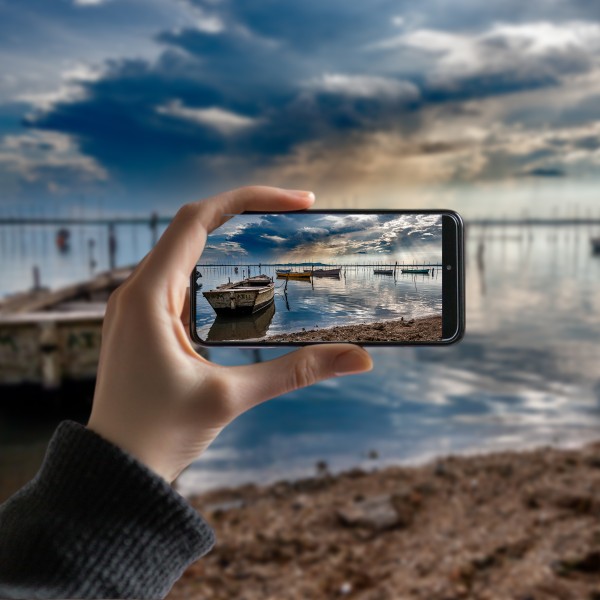
Mobile Photography Workshop for Beginners
Master mobile photography and turn your phone into a professional creative tool
Master mobile photography from scratch. Learn professional techniques for capturing stunning images using nothing but your phone.
What will i learn
At the end of this program, you will be able to:
- Identify and manually adjust the exposure settings (ISO, shutter speed, EV compensation) available in your phone's camera to control image brightness.
- Apply at least three photographic composition rules — the rule of thirds, leading lines and negative space — in shots taken in real-world conditions.
- Assess the quality and direction of natural light at different times of day and adapt framing and shooting position to make deliberate use of it.
- Execute specific mobile portrait techniques — portrait mode, flattering angles, background management — producing images in which the subject is clearly separated from its surroundings.
- Capture street and travel images that convey context through conscious decisions about framing, the decisive moment and depth of field.
- Apply a basic editing workflow in Snapseed and Lightroom Mobile — tonal adjustment, compositional cropping, colour correction and export — to take a raw photograph through to its final version.
- Build a portfolio of ten photographs that demonstrates technical progression and a recognisable personal visual voice, justifying each selection using the criteria learned during the course.
Description
Discover the creative potential in your pocket
In the digital age, your phone is a powerful photographic tool you carry everywhere. Learn to transform ordinary moments into extraordinary images using the camera you already have in your hand.
What you'll learn
- Master the fundamental principles of photographic composition applied to mobile devices
- Control exposure, focus and depth of field on your phone
- Explore different photographic genres: portrait, landscape, night photography and more
- Edit and enhance your photos with accessible, professional-grade tools
- Develop your personal style and learn to tell compelling visual stories
- Optimise your images for social media and different digital platforms
Who this course is for
This programme is ideal for photography enthusiasts who want to get started without investing in expensive equipment, as well as for anyone looking to express their creativity through imagery. It is aimed at intermediate-level students who already have basic experience with mobile technology and want to develop genuine photographic skills.
Methodology and approach
The programme combines essential photographic theory with immediate hands-on practice. Through interactive modules, progressive exercises and specialist feedback, you will build both technical and artistic skills in a structured way. Each lesson sets you real photographic challenges that you can complete with the phone you use every day.
Professional value and career impact
These skills open doors in digital marketing, social media management, creative entrepreneurship and visual communication. You will learn to produce professional-quality photographic content that sets your personal brand or business apart. Mobile photography expertise is increasingly valued across the creative industries, tourism, e-commerce and digital media.
Structure and duration
Duration: 6 weeks
1 class of 4 hours per week
Costs of this program
- Admission fee
- $198.16 USD
$219.02 USD - Monthly tuition
- Not applicable for this program
- Re-enrollment fee
- Not applicable for this program
Topics in this program
6 topicsTopic 1. Your phone as a camera: getting to know the tool you already have
- The difference between automatic mode and pro/manual mode on a mobile camera.
- The simplified exposure triangle for mobile: ISO, shutter speed and EV compensation.
- What your phone does automatically — and when to take control.
- Tap-to-focus, exposure lock (AE/AF lock) and their practical uses.
- File formats: JPEG vs. RAW (DNG) on mobile — when to use each one.
- Cleaning the lens and holding your phone ergonomically.
Topic 2. Seeing before shooting: composition as a visual language
- The phone grid as a composition tool: how to enable and use it
- Rule of thirds: points of interest and dividing lines in mobile practice
- Leading lines, converging lines and natural frames in urban settings
- Negative space and how it isolates your subject
- Straight horizon vs. tilted horizon: knowing when to break the rule
- Symmetry and repeating patterns as compositional tools
- The photographer's point of view: height, angle and distance from the subject
Topic 3. The light you already have: reading and making the most of natural light
- Light quality: hard vs. soft light and its effect on textures and shadows
- Direction of light: front, side, backlight and 45-degree angle light
- Golden hour and blue hour: characteristics, duration and why they matter
- Window light as a portable studio: direction, makeshift reflectors and diffusers
- How your phone meters light (zone, average and spot metering) and when to override it
- Manual white balance on mobile: colour temperature in Kelvin and its visual impact
- Hard shadows as a compositional element: shooting in midday light
Topic 4. Putting the subject first: intentional mobile portraiture
- Portrait mode on your phone: how software-simulated bokeh works and where it falls short
- Lenses available on modern smartphones: wide-angle, standard and telephoto for portraits
- Shooting angles in portraiture: high, low and eye level — and how each affects the way we perceive the subject
- Managing the background: subject-to-background distance, simplification and choosing the right context
- Direction of gaze and breathing room in portrait composition
- How to direct a non-model: practical prompts for capturing genuine expressions
- Outdoor portraits with natural light: window light, open shade and backlight with fill
Topic 5. The city as your studio: street photography and travel photography
- Henri Cartier-Bresson's decisive moment: anticipation and timing in street photography
- Discretion and ethics in street photography: the rights of photographers and the people they photograph
- Travel photography: telling the story of a place through a sequence of images (wide, mid-range and detail shots)
- Depth of field on mobile: the variables at your disposal (fixed aperture, distance, focal length) and portrait mode as a narrative tool
- Using burst mode to capture movement and spontaneous expressions
- The phone as a discreet camera: its advantages over dedicated cameras in public settings
- Visual storytelling: building a narrative with three to five complementary images
Topic 6. From capture to portfolio: mobile editing and finding your visual voice
- The philosophy of editing: enhancing vs. manipulating — the ethical and aesthetic limits of mobile post-processing
- Workflow in Snapseed: selective adjustment tool, Details filter and working with the Structure and Sharpening parameters
- Workflow in Lightroom Mobile: Light, Color, Effects and Detail panels — tonal adjustments using the basic tone curve
- Creating and applying a custom preset in Lightroom Mobile for a consistent visual feel across a series
- Export settings: resolution, sRGB colour space and JPEG compression for social media vs. print
- Photo curation: selecting and editing your portfolio — the discipline of removing images that don't contribute
- Building a visual voice: consistency of palette, lighting style and thematic coherence across a series
The team
We help you build your future.
-
 Yunier Escobar
Apasionado de la fotografía en particular y del arte en general. (Holguín, Cuba, 1983). Tiene una licenciatura en Arte de los Medios de Comunicación Audiovisua… More about me
-
 Elizabeth Vinck Monroy
Estudió la Maestría en Artes Visuales UNAM 2012-2014. Becaria del Programa Artes Visuales/Fotografía en Proyecto Imaginario 2022-2023 y del curso Creatividad y… More about me
-
 Guillermo Hernández Mendoza
Licenciado en Comunicación Social por parte de la Universidad Autónoma Metropolitana, con más de 22 años de experiencia. A través del desarrollo de proyectos d… More about me
Requirements
- Own a smartphone with a camera (iOS or Android) no more than 2 years old.
- Have the apps Snapseed (free) and Adobe Lightroom Mobile (free version) installed before the first session.
- No prior knowledge of photography is required.
Your place in the program is waiting for you
Enrol online in two minutes and pay the rest monthly


